
Resources · Assetto Corsa
Make an Assetto Corsa livery with AI — no Photoshop
An Assetto Corsa skin is a folder of DDS textures, and painting one by hand is where most people give up. Here's how the skin actually works, and how to design one with AI that fits the car in-game instead of a picture smeared across the body — then export a DDS you can drop straight into content\cars. No design skills, free to start.
What an Assetto Corsa skin actually is
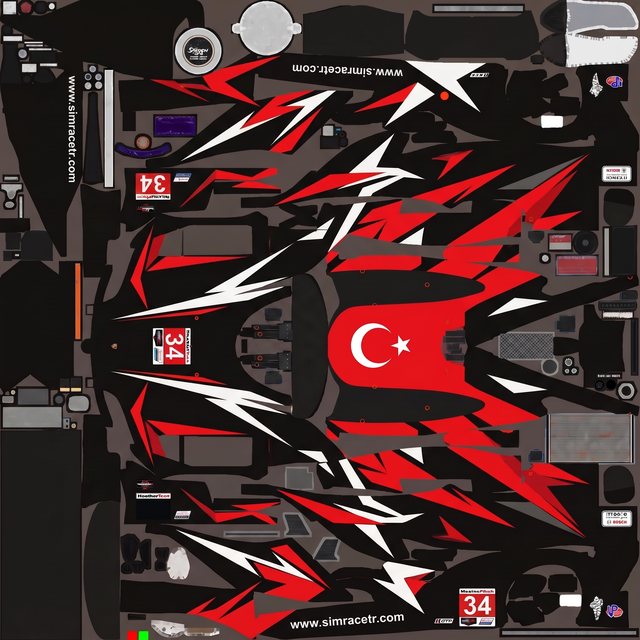
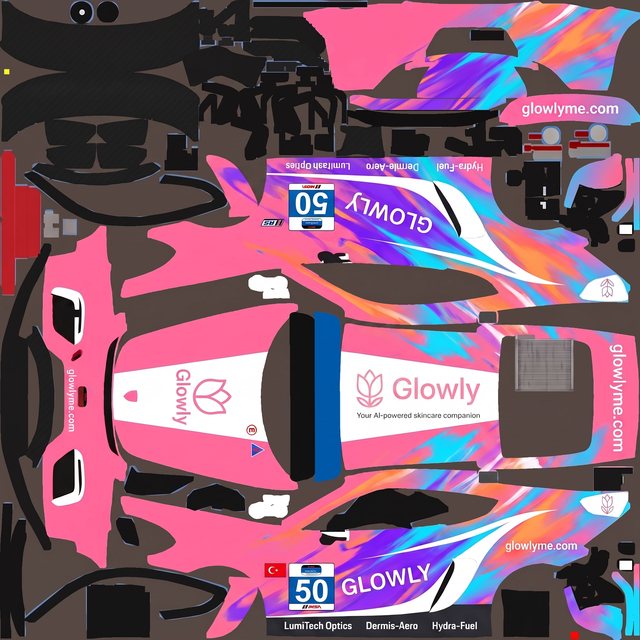
An Assetto Corsa livery isn't one file — it's a folder. Each skin lives in content\cars\<car>\skins\<your-skin>\ and holds the car's texture maps as DDS images, a small ui_skin.json with the name and race number, and a preview.png the game shows in the skin picker. The paint itself is a UV texture: the body panels unwrapped and laid out flat on one image, so colour painted inside a panel lands in the right place once the game wraps it back onto the 3D car. Getting a graphic to read correctly on the body — not folded over a seam — is the part that makes hand-painting slow. It's also exactly what a good AI livery generator handles for you: it designs on the real template and checks the result against it, so the paint maps to the car instead of being stretched over it.
Get a template to paint on
- 1
Find the car's skin folder
Open
Steam\steamapps\common\assettocorsa\content\cars\, find your car, and look in itsskinsfolder. Every skin already there is a working example of the layout the game expects — DDS textures plus apreview.png. - 2
Grab a flat template
You design on a flat image of the car's UV. Use a community paint template for that car, or export the car's existing skin texture to PNG — Content Manager converts DDS to PNG in a couple of clicks. Either way you get the unwrapped body as one editable image.
- 3
Upload it to Ailivery
Drop that template into Ailivery as a PNG or PSD. It's flattened in your browser and becomes the canvas the AI designs on, so whatever you make is built on the actual car layout from the first render — no Photoshop, no channel-wrangling.
From template to DDS skin
- 1
Describe the design
Tell Ailivery what you want — a couple of colours, a rough direction, even just "clean and aggressive." It's a conversation: it asks about the details, suggests directions, and shapes the livery with you. Need a starting point? The livery prompt ideas are there to riff on.
- 2
Generate on the template
The AI paints an original design onto the car's UV template and checks it against the layout, so graphics land on the right panels instead of drifting across seams.
- 3
Refine until it's right
Change colours, move elements, mark up edits. Refinements re-apply on the clean template, so the paint stays sharp instead of degrading pass after pass.
- 4
Export and convert to DDS
Export the finished livery as a high-res image, then save it as a DDS — Content Manager, or any DDS-capable image tool, does the conversion. That DDS is the texture the game reads.
- 5
Install it as a skin
Put the DDS in a new folder under the car's
skinsdirectory with aui_skin.jsonand apreview.png, and it shows up in the skin picker. The Assetto Corsa install guide walks through the folder and the Content Manager route step by step.
A few things that trip people up
A skin is a folder, not a file
The game loads a livery from its own folder under
skins— the DDS texture plusui_skin.jsonandpreview.png. Miss the JSON or the preview and the skin won't show up cleanly in the picker.The texture has to be DDS
You design in PNG, but the car reads DDS. Convert on export — Content Manager makes it a two-click step — and keep the same resolution as the original texture so the paint stays crisp.
Use only art you own
Add team or sponsor logos only if you have the rights, and keep the design original and brand-safe. The livery you export is yours to keep.
Assetto Corsa livery questions
What is an Assetto Corsa skin?
It's a livery for a car, stored as a folder under content\cars\<car>\skins\. The folder holds the car's texture maps as DDS files, a ui_skin.json with the name and number, and a preview.png the game shows when you pick a skin.
Do I need Photoshop to make one?
No. Ailivery flattens the template in your browser and designs on top of it, so you work in plain language and previews instead of layers and channels. You only need a way to save the final image as DDS, which Content Manager handles.
What file does Assetto Corsa need in the end?
A DDS texture in a skin folder, alongside ui_skin.json and a preview.png. You design the paint in Ailivery, export it, and convert it to DDS to drop in.
Where do skins go?
In Steam\steamapps\common\assettocorsa\content\cars\<car>\skins\<your-skin>\. The Assetto Corsa install guide covers the folder layout and the Content Manager import.
Can I start from a design I made somewhere else?
Yes — bring a concept from ChatGPT or Midjourney and Ailivery recreates it on your car's template so it's race-ready.
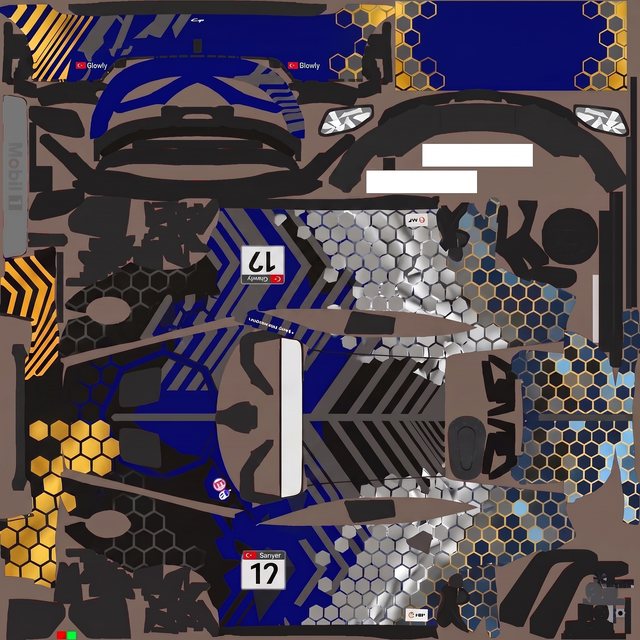
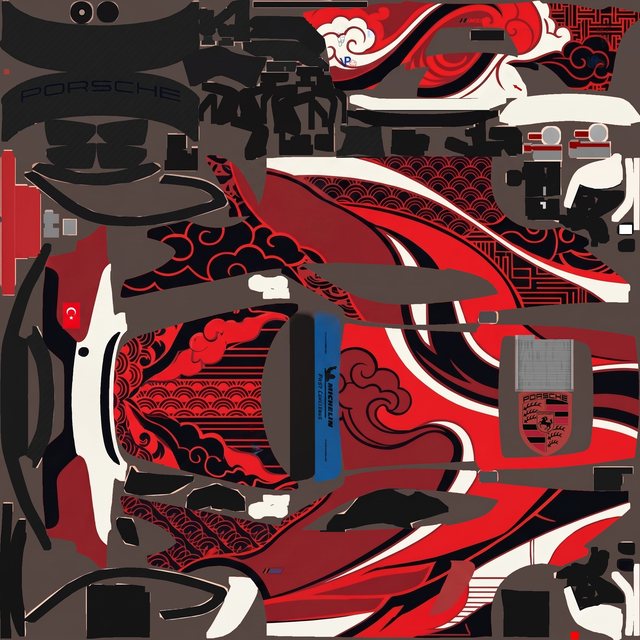
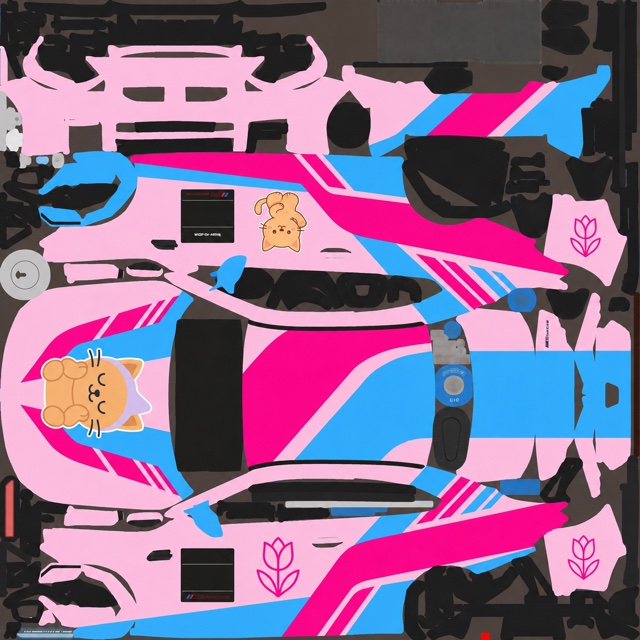
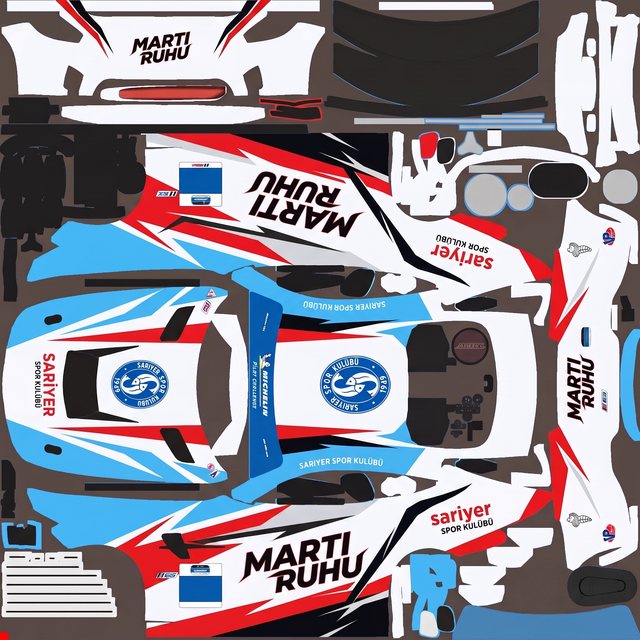
Real liveries, no Photoshop
Every one started as a plain-language brief on a blank paint template — described, generated, refined, exported. No layers, no channels.
Paint your Assetto Corsa livery
Upload the template, describe the design, and export a skin ready for content\cars — all in one place, free to start.